

 ウイルスチェック
iPhoneでアプリをダウンロードするには、このQRコードをスキャンしてください。

iPhoneにアプリを正しくインストールする方法は?

アプリのプライバシー
プライバシーの取り組みは、年齢、関与する機能、その他の要因に応じて異なる場合があります。 詳細はこちら
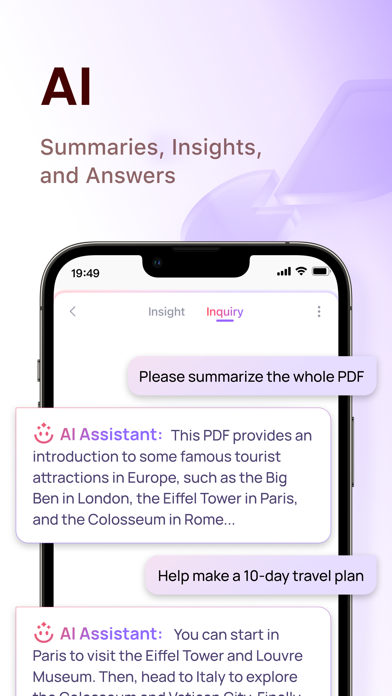
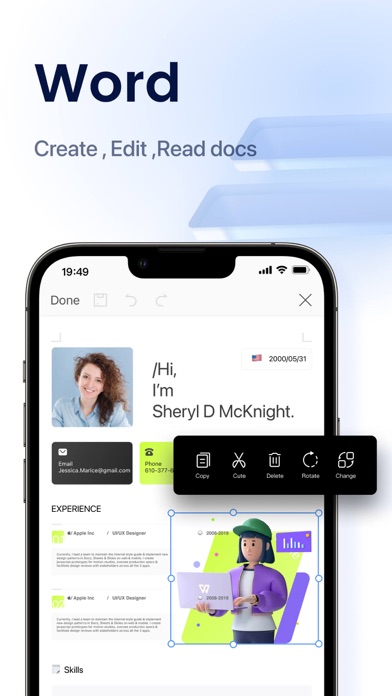
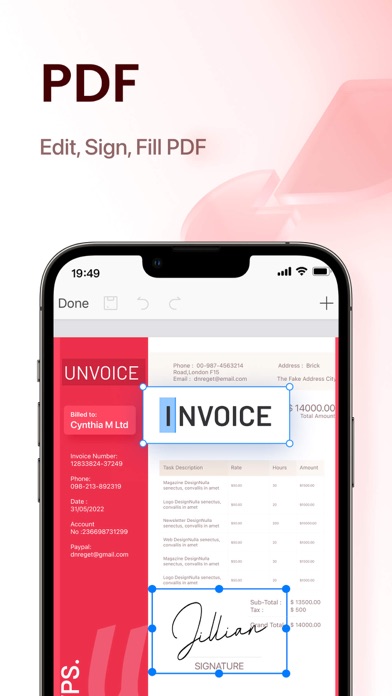
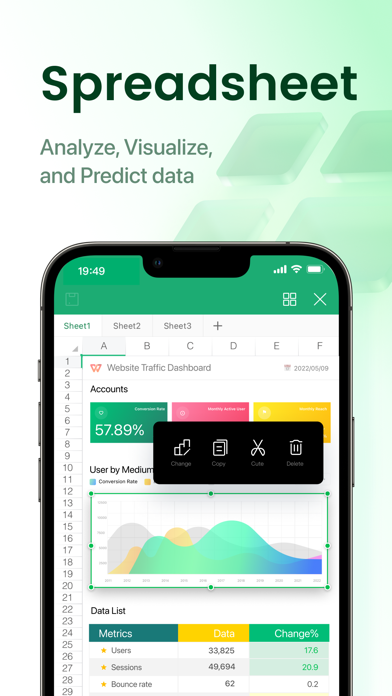
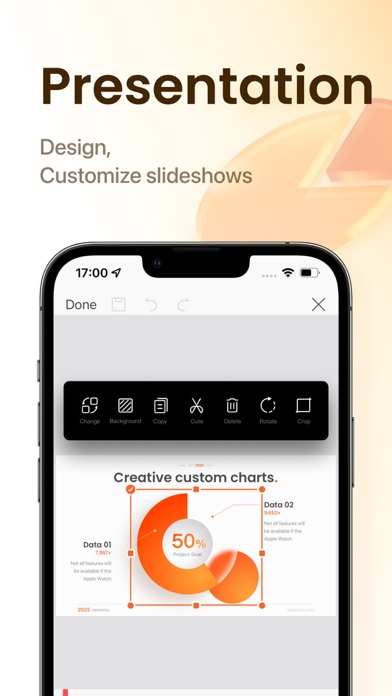
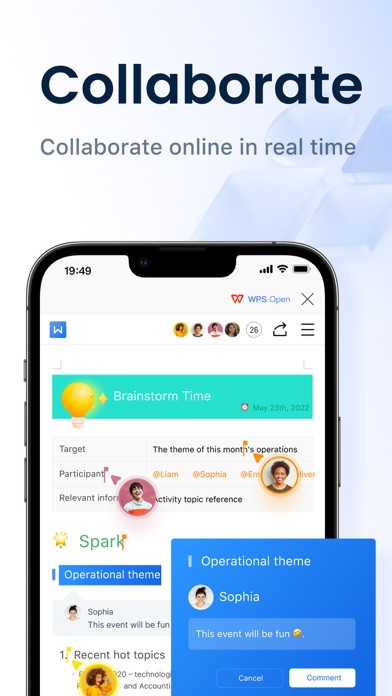
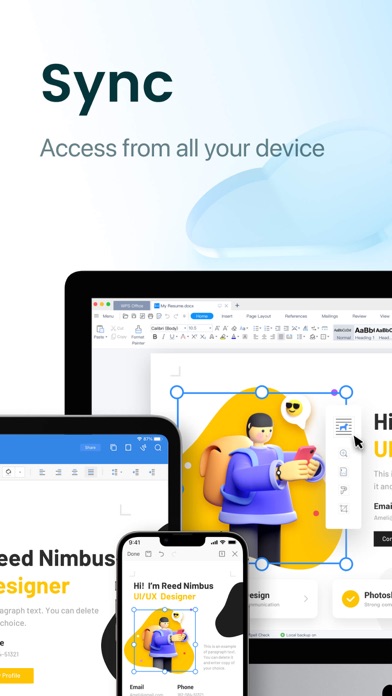
WPS Office is an all-in-one free office suite on iPhone and iPad, integrates all office document processor functions: Word, Spreadsheet, Powerpoint, PDF, WPS AI, Memo, and Docs Scanner in one application, and is fully compatible with Microsoft Word, Excel, PowerPoint, Google Docs and Adobe PDF formats. WPS AI revolutionizes your workflow by offering functions like AI-generated content, rewriting, AI-powered PDF tools and more. 【WPS Office Highlight Features】 All-in-One Free Office Suite App • Integrate with Memo, Document, Spreadsheet, Presentation, and PDF • Fully compatible with Microsoft Office (Word, PowerPoint, Excel, Epub, and TXT),Google Docs, Sheets, Slides, Adobe PDF, and OpenOffice WPS AI-generated content and rewriting • Provides instant and high-quality content or tailored answers according to your prompt • Offers professional rewriting and polishing work AI-powered PDF Reader and PDF Editor • Edit PDF text and images easily • Magically convert PDF to editable Word/Excel/Powerpoint files • Sign and fill PDF documents, e-signature is legal & secure • Engage in conversations with the WPS AI and gain insights, summaries, outlines, tailored answers and translations about the PDF as you like Make Presentations on-the-go • Dozens of new Presentation layouts, animation, and transition effects • Make presentations using WIFI, NFC, DLNA, and Miracast • Touch-controlled laser pointer, Ink feature let you draw on slides while in presentation mode Easy to Use and Powerful Spreadsheet • Complete predefined formulas makes you do basic data analysis and digital operations more conveniently Connect to Cloud Drive • Automatically save office documents to the clouds: Dropbox, Google Drive, Box, Evernote, and OneDrive. Keep your all documents always up-to-date via cloud service and accessible from any devices Documents Encryption • Support documents encryption, keep your office documents & data safe Share/Transfer Documents • Easy to share office documents via WIFI, NFC, DLNA, Email, Instant Messaging, WhatsApp, Telegram, Facebook and Twitter Supports 51 languages and All Office File Formats • File Formats: doc, docx, wpt, dotm, docm, dot, dotx / xls, xlsx, xlt, xltx, csv, xml, et, ett / PDF / ppt, pot, dps, dpt, pptx, potx, ppsx / txt / log, lrc, c, cpp, h, asm, s, java, asp, bat, bas, prg, cmd, Zip Ensure Hardware Device's Power Saving • The software coding promises never lagging the operation of your mobile operating system 【Auto-renew Subscription Notification】 Auto-renew Subscription Cycle: There are 3 different lengths of auto-renew subscription cycles, including 1 month, 3 months, and 1 year. Please choose the subscription cycle you need and confirm before payment. Payment: Payment will be charged to your iTunes、App Store account at purchase confirmation. Cancellation of Subscription: You can turn off auto-renew at any time from your iTunes/App Store account settings; you must do so at least 24 hours before the end of the current subscription period to avoid being billed for the next cycle. No cancellation of the current subscription is allowed during the active period. Privacy Policy: https://www.wps.com/privacy-policy/ Terms of Auto-Renew Subscription Service: https://www.wps.com/auto-renewal-terms/
11.35.00
21/07/2025
WPS AI Capabilities Upgrade: Instant Global Understanding, Double Efficiency, Reimagined Visual Beauty! AI Translation Upgrade: Multi-Model Intelligence, Rapid Response, Accurate Translation AIGC + ChatPDF: One-Click Complex Task Processing AI Photos: Pro-Level Beautification for Beginners
| アプリ名: | WPS Office: PDF, Docs, Sheets |
| 現在のバージョン: | 11.35.00 |
| アプリのリリース: | 12-13-2019 |
| パッケージ名: | com.kingsoft.office.g.wpsoffice |
| レビュー: | 13823 |
| 評価: | 4.8 |
| 価格(アプリ内購入): | 無料 |
| 開発者: | KINGSOFT OFFICE SOFTWARE CORPORATION LIMITED |
| 開発者のウェブサイト: | http://www.wps.com/ios |
| カテゴリー: | Productivity,Utilities |
| 利用可能な言語: | EN, FR, DE, HI, ID, JA, KO, PT, RU, ZH, ES, ZH, TR, UK |
| 対応デバイス: | iPhone5s-iPhone5s, iPadAir-iPadAir, iPadAirCellular-iPadAirCellular, iPadMiniRetina-iPadMiniRetina, iPadMiniRetinaCellular-iPadMiniRetinaCellular, iPhone6-iPhone6, iPhone6Plus-iPhone6Plus, iPadAir2-iPadAir2, iPadAir2Cellular-iPadAir2Cellular, iPadMini3-iPadMini3, iPadMini3Cellular-iPadMini3Cellular, iPodTouchSixthGen-iPodTouchSixthGen, iPhone6s-iPhone6s, iPhone6sPlus-iPhone6sPlus, iPadMini4-iPadMini4, iPadMini4Cellular-iPadMini4Cellular, iPadPro-iPadPro, iPadProCellular-iPadProCellular, iPadPro97-iPadPro97, iPadPro97Cellular-iPadPro97Cellular, iPhoneSE-iPhoneSE, iPhone7-iPhone7, iPhone7Plus-iPhone7Plus, iPad611-iPad611, iPad612-iPad612, iPad71-iPad71, iPad72-iPad72, iPad73-iPad73, iPad74-iPad74, iPhone8-iPhone8, iPhone8Plus-iPhone8Plus, iPhoneX-iPhoneX, iPad75-iPad75, iPad76-iPad76, iPhoneXS-iPhoneXS, iPhoneXSMax-iPhoneXSMax, iPhoneXR-iPhoneXR, iPad812-iPad812, iPad834-iPad834, iPad856-iPad856, iPad878-iPad878, Watch4-Watch4, iPadMini5-iPadMini5, iPadMini5Cellular-iPadMini5Cellular, iPadAir3-iPadAir3, iPadAir3Cellular-iPadAir3Cellular, iPodTouchSeventhGen-iPodTouchSeventhGen, iPhone11-iPhone11, iPhone11Pro-iPhone11Pro, iPadSeventhGen-iPadSeventhGen, iPadSeventhGenCellular-iPadSeventhGenCellular, iPhone11ProMax-iPhone11ProMax, iPhoneSESecondGen-iPhoneSESecondGen, iPadProSecondGen-iPadProSecondGen, iPadProSecondGenCellular-iPadProSecondGenCellular, iPadProFourthGen-iPadProFourthGen, iPadProFourthGenCellular-iPadProFourthGenCellular, iPhone12Mini-iPhone12Mini, iPhone12-iPhone12, iPhone12Pro-iPhone12Pro, iPhone12ProMax-iPhone12ProMax, iPadAir4-iPadAir4, iPadAir4Cellular-iPadAir4Cellular, iPadEighthGen-iPadEighthGen, iPadEighthGenCellular-iPadEighthGenCellular, iPadProThirdGen-iPadProThirdGen, iPadProThirdGenCellular-iPadProThirdGenCellular, iPadProFifthGen-iPadProFifthGen, iPadProFifthGenCellular-iPadProFifthGenCellular, iPhone13Pro-iPhone13Pro, iPhone13ProMax-iPhone13ProMax, iPhone13Mini-iPhone13Mini, iPhone13-iPhone13, iPadMiniSixthGen-iPadMiniSixthGen, iPadMiniSixthGenCellular-iPadMiniSixthGenCellular, iPadNinthGen-iPadNinthGen, iPadNinthGenCellular-iPadNinthGenCellular, iPhoneSEThirdGen-iPhoneSEThirdGen, iPadAirFifthGen-iPadAirFifthGen, iPadAirFifthGenCellular-iPadAirFifthGenCellular, iPhone14-iPhone14, iPhone14Plus-iPhone14Plus, iPhone14Pro-iPhone14Pro, iPhone14ProMax-iPhone14ProMax, iPadTenthGen-iPadTenthGen, iPadTenthGenCellular-iPadTenthGenCellular, iPadPro11FourthGen-iPadPro11FourthGen, iPadPro11FourthGenCellular-iPadPro11FourthGenCellular, iPadProSixthGen-iPadProSixthGen, iPadProSixthGenCellular-iPadProSixthGenCellular, iPhone15-iPhone15, iPhone15Plus-iPhone15Plus, iPhone15Pro-iPhone15Pro, iPhone15ProMax-iPhone15ProMax, iPadAir11M2-iPadAir11M2, iPadAir11M2Cellular-iPadAir11M2Cellular, iPadAir13M2-iPadAir13M2, iPadAir13M2Cellular-iPadAir13M2Cellular, iPadPro11M4-iPadPro11M4, iPadPro11M4Cellular-iPadPro11M4Cellular, iPadPro13M4-iPadPro13M4, iPadPro13M4Cellular-iPadPro13M4Cellular, iPhone16-iPhone16, iPhone16Plus-iPhone16Plus, iPhone16Pro-iPhone16Pro, iPhone16ProMax-iPhone16ProMax, iPadMiniA17Pro-iPadMiniA17Pro, iPadMiniA17ProCellular-iPadMiniA17ProCellular, iPhone16e-iPhone16e, iPadA16-iPadA16, iPadA16Cellular-iPadA16Cellular, iPadAir11M3-iPadAir11M3, iPadAir11M3Cellular-iPadAir11M3Cellular, iPadAir13M3-iPadAir13M3, iPadAir13M3Cellular-iPadAir13M3Cellular |
| Scribd: 170M+ documents | WPS Office: PDF, Docs, Sheets | SwifDoo PDF: Read & Edit PDFs | PDF24: Photos to PDF | |
|---|---|---|---|---|
| 更新日 | 8月 18, 2025 | 7月 21, 2025 | 4月 26, 2024 | 8月 21, 2025 |
| 現在のバージョン | 15.16 | 11.35.00 | 1.7.0 | 1.4.8 |
| 評価 |
|
|
|
|
| SlideShare Downloader | SlidesPilot: AI PowerPoint | Slidey: プレゼンテーション 作成 | Google スライド | Smallppt: AI Slides | Scribd: 170M+ documents | |
|---|---|---|---|---|---|---|
| 更新日 | 5月 27, 2025 | 11月 20, 2024 | 7月 07, 2025 | 8月 25, 2025 | 7月 11, 2025 | 8月 14, 2025 |
| 現在のバージョン | 0.8 | 1.1.2 | 1.0.95 | 1.25.331.02.90 | 1.0.112 | 15.17 |
| スコア |
|
|
|
|
|
|
Compare Slide Converters. Thumbnail Downloader.
Copyright © 2025 All Right Reserved. Privacy Policy